Create a React Currency Input
This blog is all about solving problems and today I want to explore a common problem of building a reusable currency input. This input converts plain numbers into formatted currency (e.g. 100 becomes $100 as you type).
Browser inputs are notoriously difficult as you're often fighting against the native behavior. A few common problems that you’ll run into when manipulating input values are:
- Validating
- Formatting the value
- Text cursor changing position as you type
- On mobile web, the input uses a text keyboard instead of a number keyboard
We'll utilize react-text-mask to help solve these common issues.
Setup our component
Let's set up a basic input component first!
import React from 'react'

const CurrencyInput = () => {
  return <input />
}

export default CurrencyInput
Nice! This component doesn't do us much good though. Let's explore a package that will do some heavy lifting for us.
Introducing react-text-mask
We can use the package react-text-mask which will solve many of the above issues for us.
The following documentation example shows us a way to create an input that formats the user's input as a US telephone number.
import React from 'react'
import MaskedInput from 'react-text-mask'

export default () => (
  <div>
    <label><strong>Masked input</strong></label>
    <MaskedInput
      // Phone number mask
      mask={['(', /[1-9]/, /\d/, /\d/, ')', ' ', /\d/, /\d/, /\d/, '-', /\d/, /\d/, /\d/, /\d/]}
    />
  </div>
)
react-text-mask exports a component MaskedInput, which takes a mask prop. This prop takes in an array of strings/regular expressions to determine what and where an individual character can be entered.
The MaskedInput passes props to the internal <input /> element so we can add the typical input properties like placeholders, event handlers, and so on.

Because the mask we used above only allows numbers, react-text-mask invalidates non-number input. In the gif above, I attempted to type roman characters and the input won't even render them.
Masking our input value with react-text-mask
Now let’s update our CurrencyInput to use what we know.
import React from 'react'
+import MaskedInput from 'react-text-mask'

const CurrencyInput = ({ ...inputProps }) => {
-  return <input />
+  return (
+    <MaskedInput
+      mask={[/* TODO: our mask */]}
+      {...inputProps}
+    />
+  )
}

export default CurrencyInput
So far we have a reusable input component that can be passed input-related props and returns a masked input component. Now, we need to add a mask that displays our string of numbers as a monetary amount.
We could write a custom mask, but react-text-mask separately exports a few masks to help us format number and email. We can use their createNumberMask.
Here's how it would look in our component.
import React from 'react'
import MaskedInput from 'react-text-mask'
+import createNumberMask from 'text-mask-addons/dist/createNumberMask'

+const defaultMaskOptions = {
+  prefix: '$',
+  suffix: '',
+  includeThousandsSeparator: true,
+  thousandsSeparatorSymbol: ',',
+  allowDecimal: true,
+  decimalSymbol: '.',
+  decimalLimit: 2, // how many digits allowed after the decimal
+  integerLimit: 7, // limit length of integer numbers
+  allowNegative: false,
+  allowLeadingZeroes: false,
+}

const CurrencyInput = ({ ...inputProps }) => {
+  const currencyMask = createNumberMask(defaultMaskOptions)
+
+  return <MaskedInput mask={currencyMask} {...inputProps} />
}

export default CurrencyInput
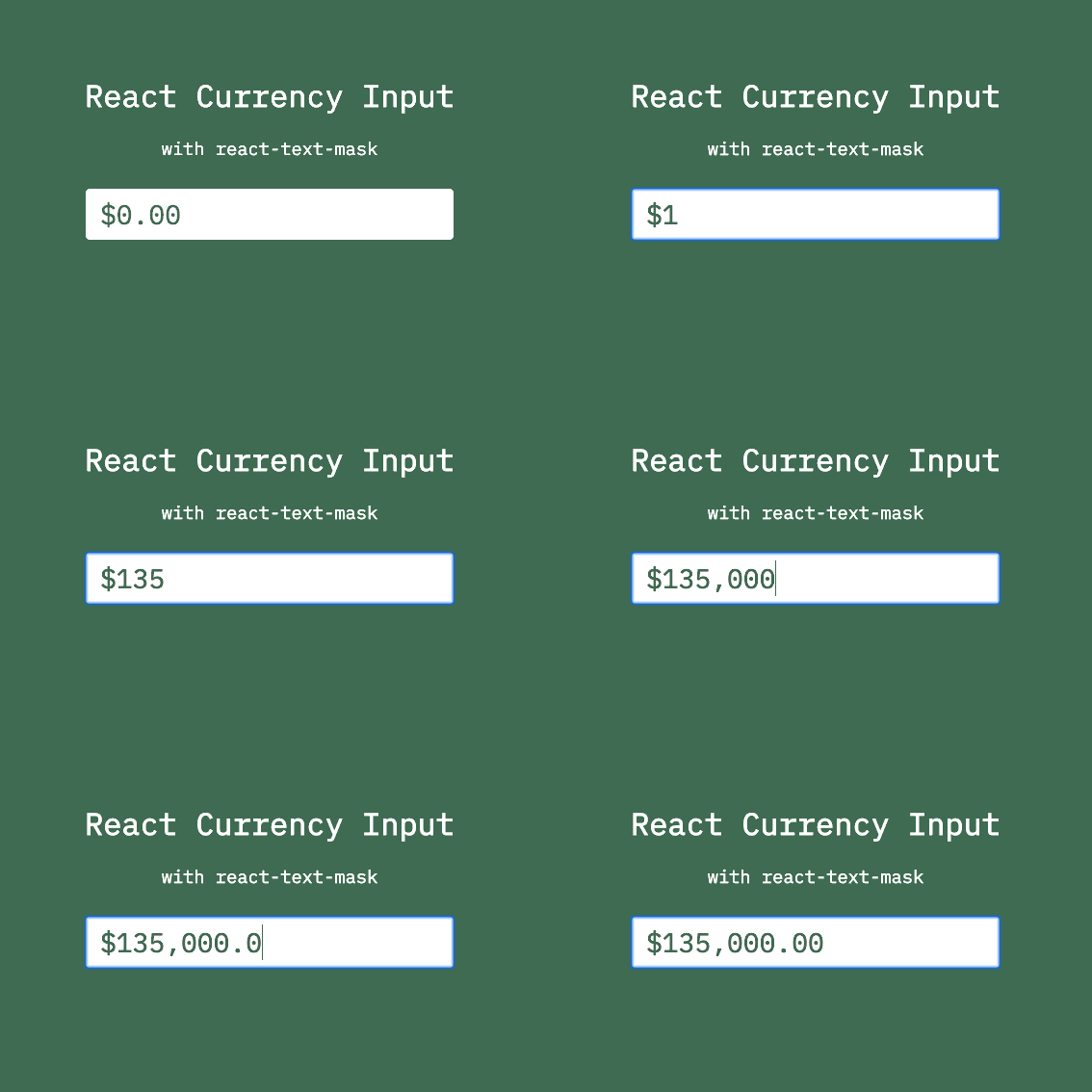
Nice! Here's a gif of what this looks like in action:
Showing the numeric keyboard on mobile devices
Recent versions of iOS and Android have added support for the inputmode property.
With this, we can specify the correct keyboard type of the input. Simply update our component to use inputmode="numeric".
const CurrencyInput = ({ maskOptions, ...inputProps }) => {
  const currencyMask = createNumberMask({
    ...defaultMaskOptions,
    ...maskOptions
  })

-  return <MaskedInput mask={currencyMask} {...inputProps} />
+  return <MaskedInput mask={currencyMask} inputMode="numeric" {...inputProps} />
}
This finishes off our functionality of the component. But there's still some cleanup we can do.
Cleaning up our component for reuse
We can do a few more things to make our input easy to reuse. Let's add some defaultProps, propTypes, and make our default props easy to override.
Here's our whole file with those cleanups.
import React from 'react'
import PropTypes from 'prop-types'
import MaskedInput from 'react-text-mask'
import createNumberMask from 'text-mask-addons/dist/createNumberMask'

const defaultMaskOptions = {
  prefix: '$',
  suffix: '',
  includeThousandsSeparator: true,
  thousandsSeparatorSymbol: ',',
  allowDecimal: true,
  decimalSymbol: '.',
  decimalLimit: 2, // how many digits allowed after the decimal
  integerLimit: 7, // limit length of integer numbers
  allowNegative: false,
  allowLeadingZeroes: false,
}

const CurrencyInput = ({ maskOptions, ...inputProps }) => {
  const currencyMask = createNumberMask({
    ...defaultMaskOptions,
    ...maskOptions,
  })

  return <MaskedInput mask={currencyMask} {...inputProps} />
}

CurrencyInput.defaultProps = {
  inputMode: 'numeric',
  maskOptions: {},
}

CurrencyInput.propTypes = {
  inputmode: PropTypes.string,
  maskOptions: PropTypes.shape({
    prefix: PropTypes.string,
    suffix: PropTypes.string,
    includeThousandsSeparator: PropTypes.boolean,
    thousandsSeparatorSymbol: PropTypes.string,
    allowDecimal: PropTypes.boolean,
    decimalSymbol: PropTypes.string,
    decimalLimit: PropTypes.string,
    requireDecimal: PropTypes.boolean,
    allowNegative: PropTypes.boolean,
    allowLeadingZeroes: PropTypes.boolean,
    integerLimit: PropTypes.number,
  }),
}

export default CurrencyInput
Notes
- react-text-mask can only be of
type="text"due to limitations of HTML5 input validations. With the aforementionedinputmodeproperty, we can still provide a great input experience for mobile users. However, if you need to support older devices and want to provide users the number keyboard, this solution may not be perfect for you.
Live Example
To better illustrate this, I've created a CodeSandbox example which I also show below.
Feel free to share, fork, and play with it right now!
https://codesandbox.io/s/react-currency-input-with-react-text-mask-4es23
Thanks for reading! You are my favorite person for sticking around until the end. 🍻
This blog is a constant work in progress, and I want to get better with your help! If you have feedback or questions on this post, please leave a comment below, use my site's contact page, or reach out to me on Twitter.